Pixfall.
Photo cleaner for iPhone and Android

Clear your camera roll in minutes, not weekends.

Pixfall turns cleaning up your phone into a quick game. Photos fall down the screen and you tap the ones you don’t want. Screenshots, near-duplicates and huge videos show up first, so the space comes back fast.

Download on theApp Store Coming soon toGoogle Play
Photos never uploadedNo accountNo ads
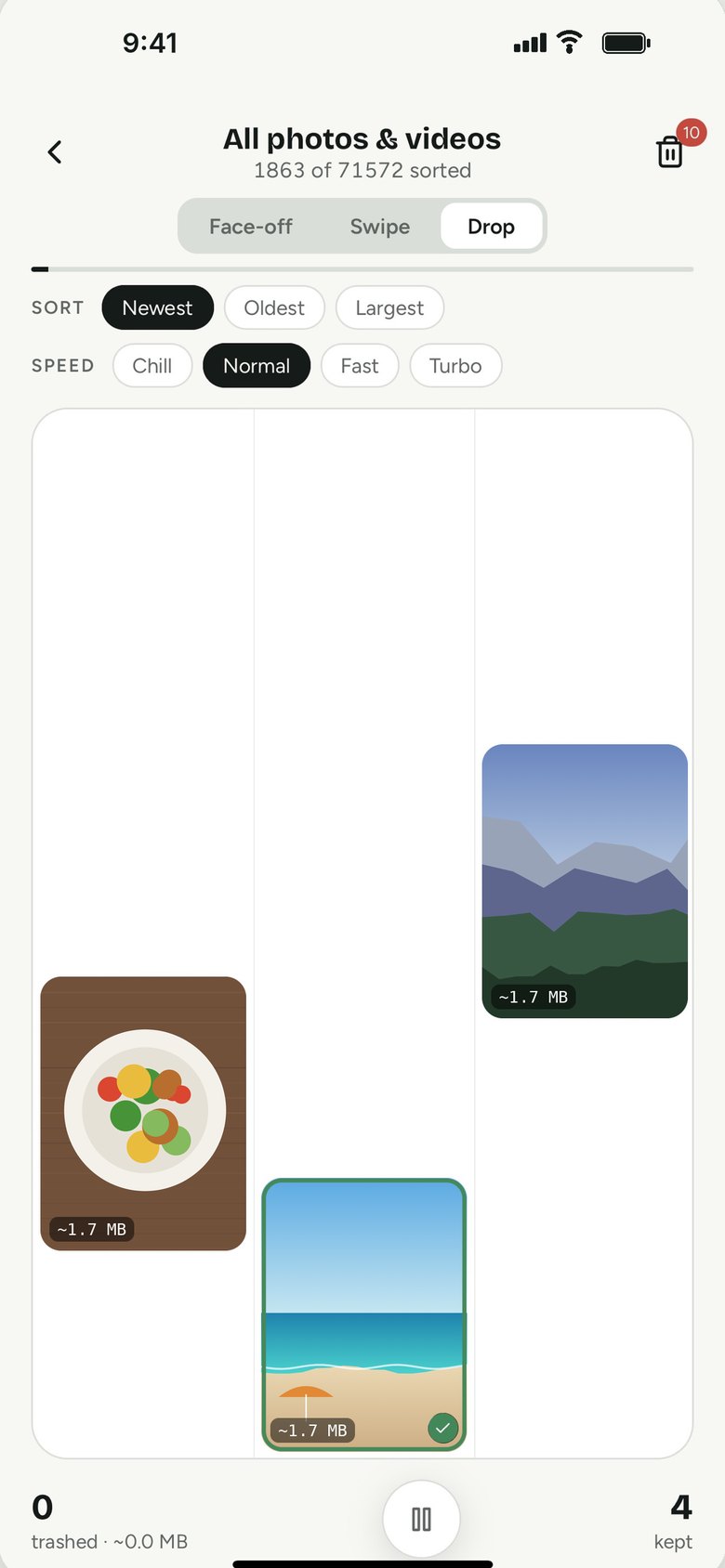
Drop mode: photos fall and you tap the ones to delete
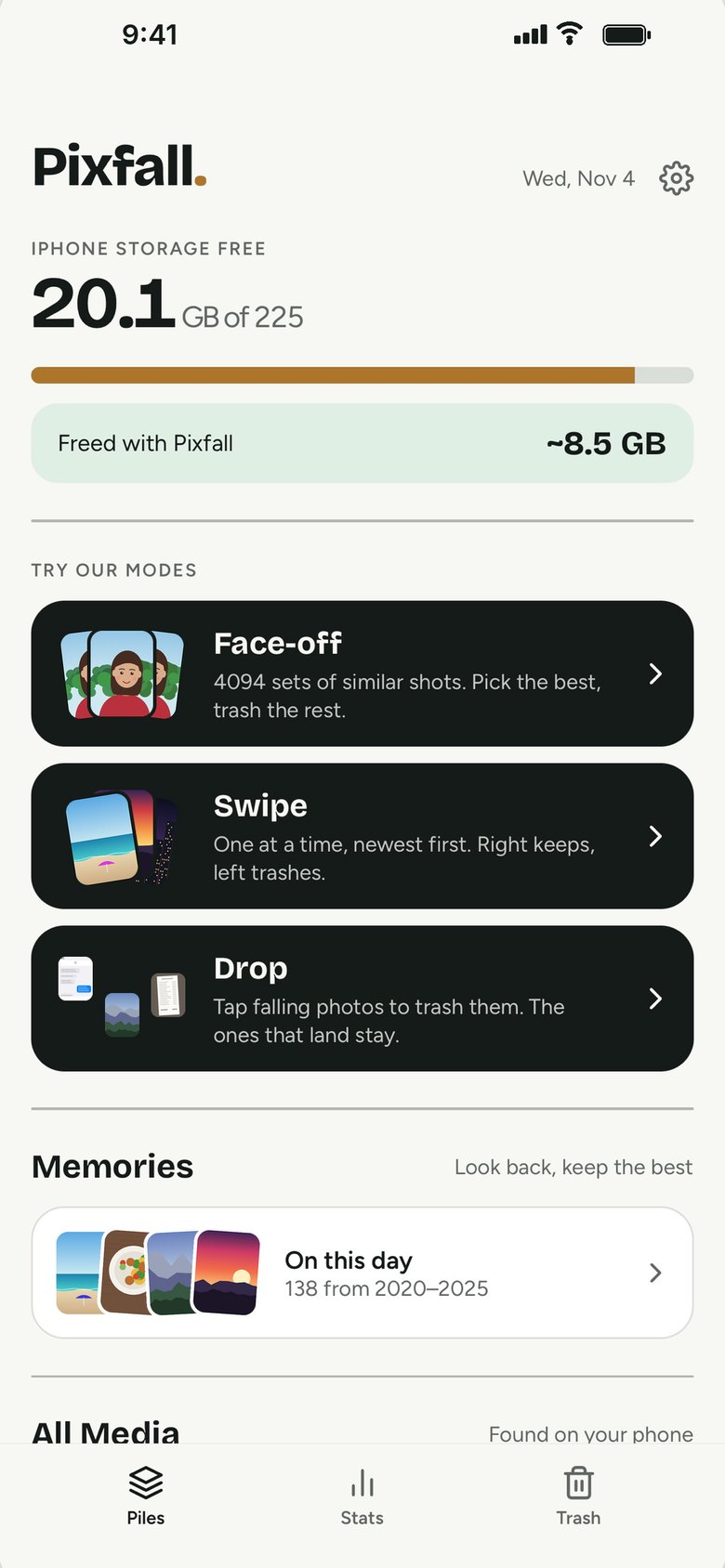
Pixfall home screen with free storage, space freed so far, and the Face-off, Swipe and Drop modes
Three ways to clean

Pick the mode that fits your mood.

Every mode does the same job: you decide what stays and what goes, and nothing is deleted until you confirm.

Face-off NEW

Took six tries of the same selfie? Rate them, knock out the weakest, and settle the last two head to head. Only your best shot stays.
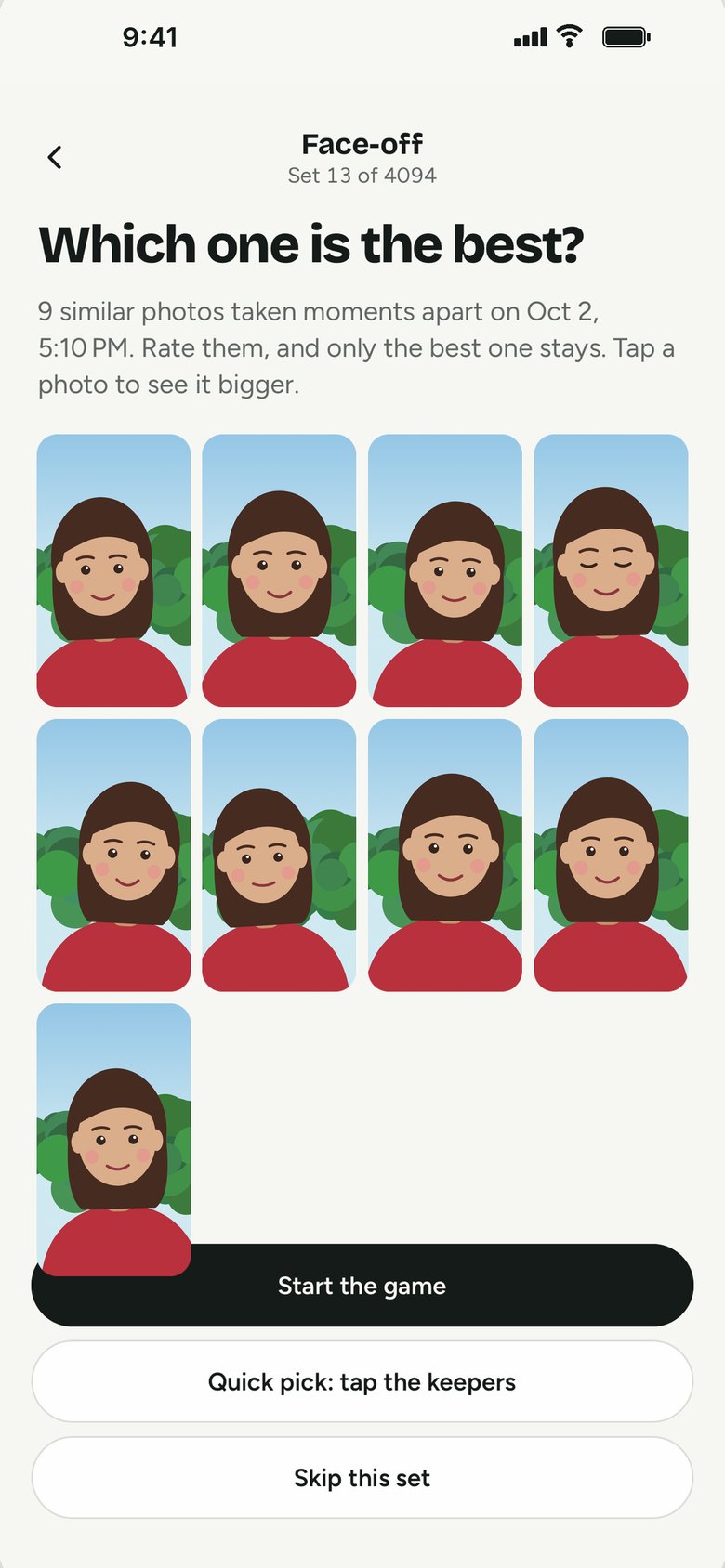
Face-off: a set of nine similar photos, ready to rate

Swipe

Prefer one at a time? Swipe left to delete, right to keep. Changed your mind? Undo brings the last photo right back.
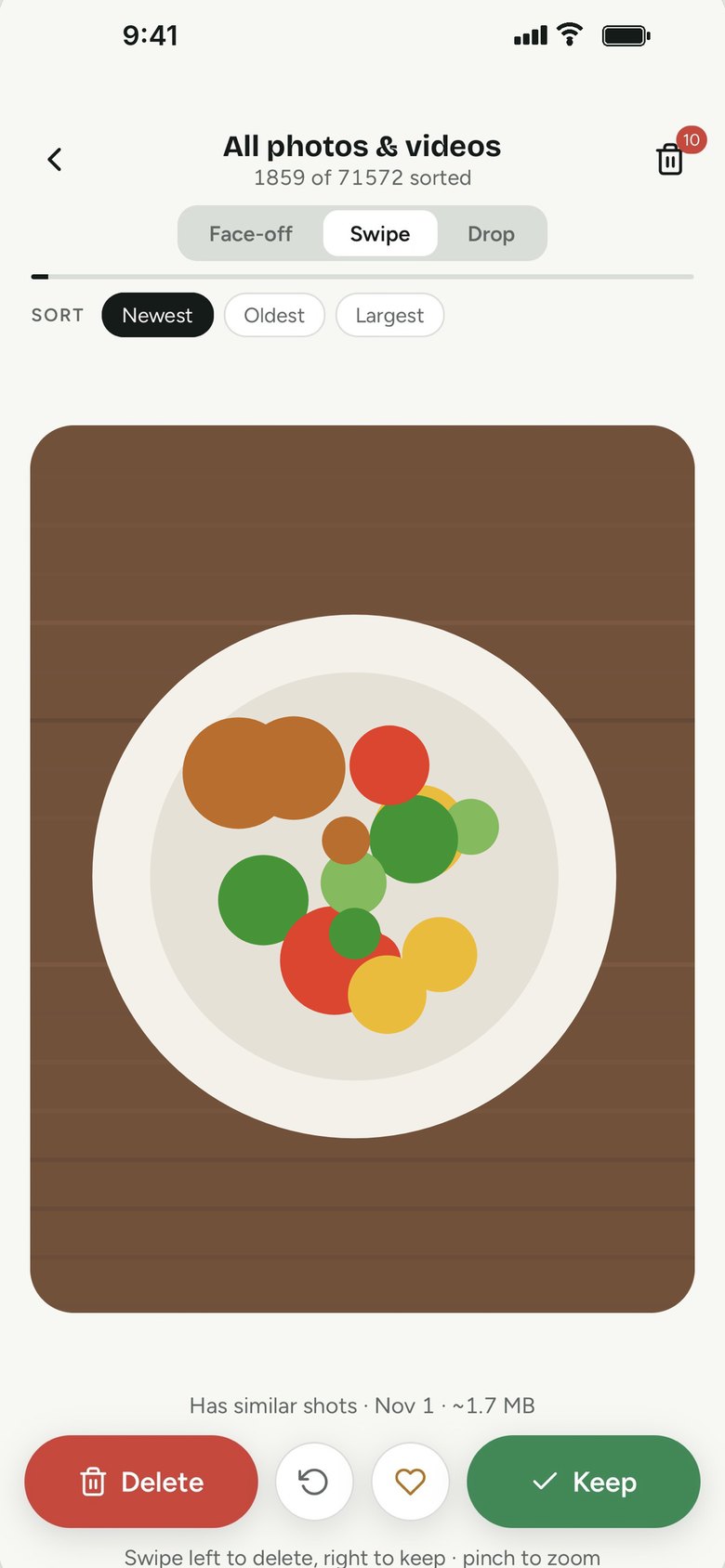
Swipe mode with red Delete and green Keep buttons

Drop

Photos fall like blocks. Tap the junk to trash it; whatever lands is kept. Fill a row and it clears. Choose a pace from Chill to Turbo.

Drop mode: photos fall and you tap the ones to delete
Junk first

The stuff you’ll delete anyway shows up first.

Pixfall sorts your library into piles so the biggest wins come early.
  • ScreenshotsOld receipts, maps and memes you saved once and never opened again.
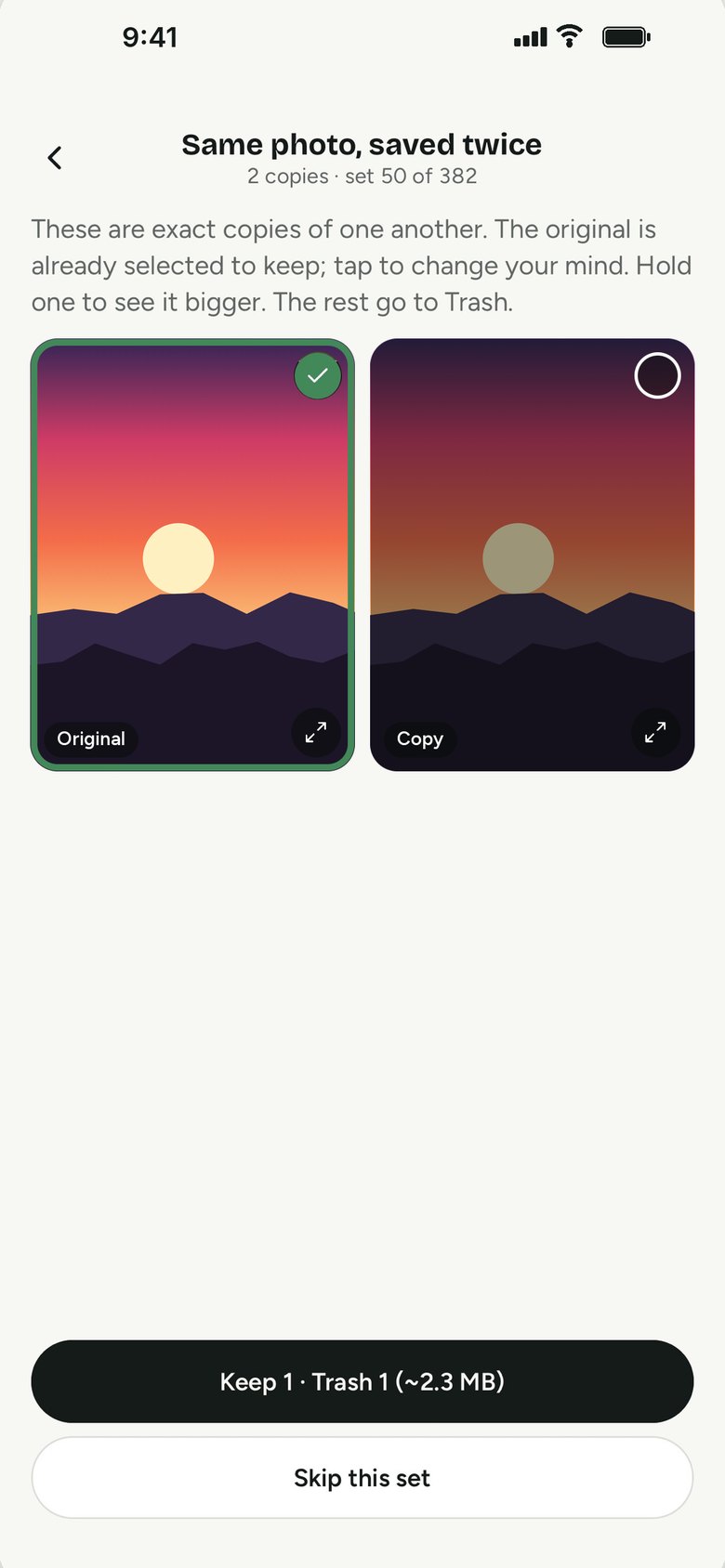
  • DuplicatesExact copies side by side, with the original already picked to keep.
  • Similar shotsBursts and retakes taken seconds apart, grouped together.
  • Large videosSorted biggest first, with the size on every clip.
  • Your whole library, by dateClean by day, month or year and watch each pile fill up as you go.
Duplicates: the original and its copy side by side, with the original selected to keep
Face-off

Six selfies in. One keeper out.

Face-off finds sets of nearly identical shots and turns picking the best one into a quick tournament. Everything that loses goes to Trash, never straight to deleted.

Face-off start screen: nine similar photos taken moments apart
  1. Find a setPixfall spots 3 or more similar photos taken moments apart.
  2. Rate 1 to 10One photo at a time, with big easy buttons.
  3. Knock out the bottom halfThe rest are shuffled and rated again. Ties are yours to settle.
  4. Final head to headTap the better of the last two, or keep both.
Nothing by accident

Nothing goes until you say so.

Cleaning should feel fast, never risky.
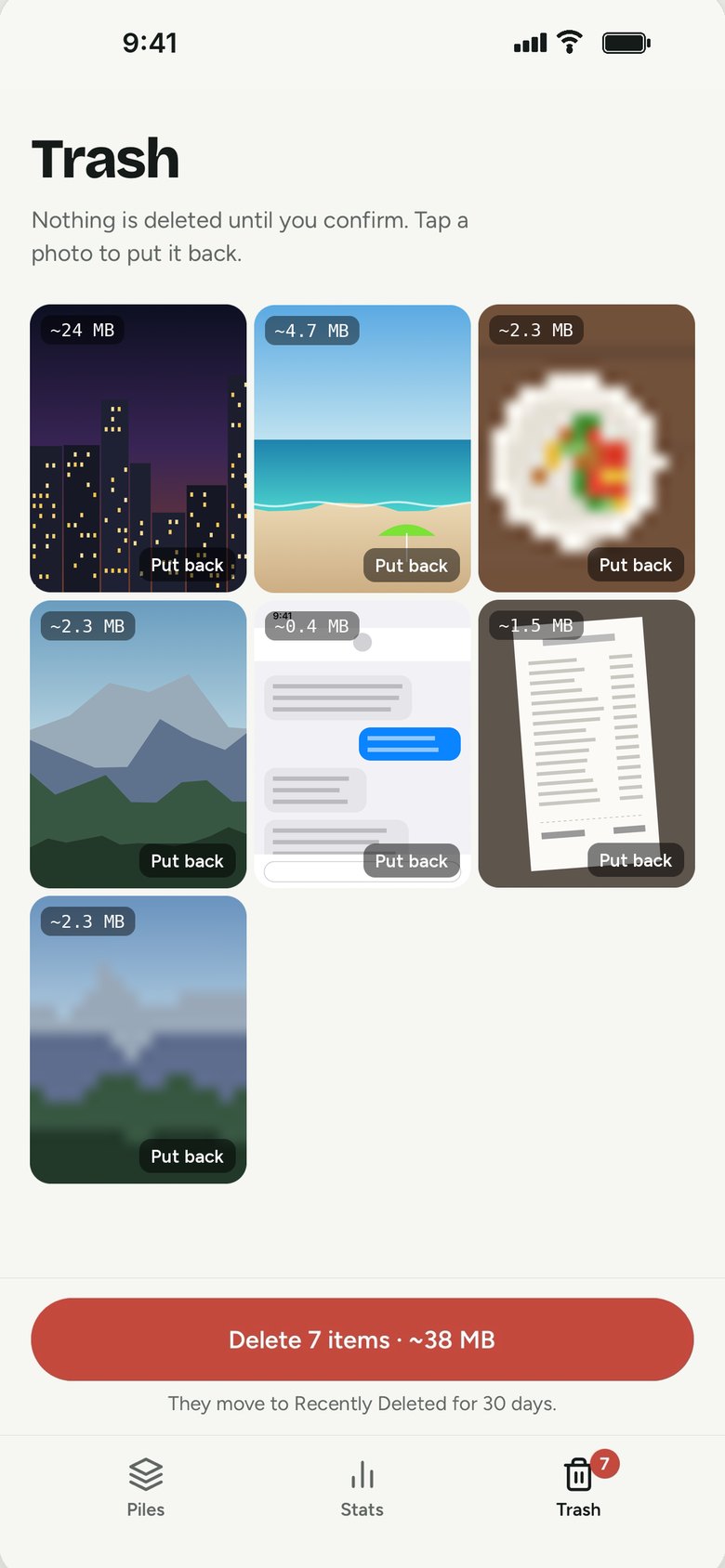
  • Everything lands in Trash firstReview what you picked and put anything back with one tap.
  • Undo anytimeSwiped too fast? Bring the last photo back.
  • 30-day safety net on iPhoneConfirmed deletions go to Recently Deleted, where iOS keeps them for 30 days.
Trash, where photos wait until you confirm
Private by design

Your photos stay on your phone. Full stop.

Pixfall does all of its work on your device. We built it so we couldn’t see your photos even if we wanted to.

On-device onlySorting, grouping and Face-off all run on your phone. Your photos are never uploaded.
No accountNo sign-up, no email, no password. Open the app and start.
No adsPixfall never shows ads and has no third-party analytics.
We can’t see your photosYour library never leaves your phone. On iPhone, ad measurement happens only if you allow it.

Read the Privacy Policy

Pricing

Free. Every feature, no limits.

Pixfall is free while we launch. No daily limit, no ads and no account.

FREE

Pixfall

$0

Everything is included.

  • Unlimited sorting
  • Drop, Swipe and Face-off
  • Trash and undo
  • No ads, no account

There’s nothing to buy inside Pixfall right now. If we add an optional paid plan in the future, the App Store or Google Play will show you the price before you pay anything.

FAQ

Questions, answered.

Are my photos uploaded anywhere?

No. Pixfall works entirely on your phone. There are no accounts and no servers that receive your photos, and we can’t see your library.

What happens when I delete something?

Everything you trash goes to Trash inside Pixfall first, where you can put anything back. When you confirm, iPhone moves the items to Recently Deleted for 30 days; Android asks you to confirm and then removes them.

Is Pixfall really free?

Yes. Every feature is free with no daily limit, no ads and no account. If we add an optional paid plan in the future, the price will show in the App Store or Google Play before you pay anything.

How does Face-off find similar shots?

It looks for groups of 3 or more photos taken seconds apart at the same size, the way retakes of a selfie or group photo happen. It skips screenshots, videos and images saved from chat apps. Nothing is analyzed off your phone.

Which phones does Pixfall work on?

Pixfall is being released for iPhone on the App Store and for Android on Google Play.

Who makes Pixfall?

Pixfall is made by EDRA LLC, a California company based in Concord. You can reach us any time at support@pixfall.app.

The company

Made in California by EDRA LLC.

EDRA LLC is a small, independent software company in Concord, California. We make simple, private tools for everyday problems, starting with Pixfall.

Company
EDRA LLC
Type
California limited liability company
Address
270 Sun Valley Mall, Suite D131
Concord, CA 94520
United States
Email
support@pixfall.app
Product
Pixfall: Photo Cleaner